Posts

Week 13 of UE5 animation

Image
 Today i started of by improving the lighting of the scene since i wasn't really happy with it, the scene was too dark overall and the police officer was barely seen. I also want to try and simulate lights passing by the moving train. First i started of by deleting all lights in the scene and adding my own, i also added some volumetric fog into the scene. then i added lighting onto all the side lights of the train And here is the final result for lighting

Week 12 of UE5 animation

Image
First ill start of simple by adding an M4 assault rifle into the swat officers hands. (Link to model https://www.artstation.com/marketplace/p/bAer/m4a1-custom-01-modular) Materials setup (Unlit) (Lit) Then i used UE5's Niagra particle system to create a simple laser for the main characters AK And then im ready for the first Final render! I used the sequencer to render and export the animation and after waiting i have my first animation rendered! Rendered Animation

Week 10/11 of UE 5 animation

Image
 Today i uploaded the original swat police officer BLEND file so i could edit the model and potentially fix it. After i made some changes to the model, i exported it and overrided the corrupted models, then merged the motion capture data onto the swat model. And finally after about an hour of troubleshooting, fixing and crashing, i finally got the SWAT model into the scene!  

Week 10 of UE5 animation

Image
 Today i started of by fixing the animation playing at double speed and set it back to normal play rate Next i used parent constraints to parent an AK-47 Prop onto the models right and left wrist. Then i re-applied all of the mats to the model I then added a small animated point light to the end of the AK to simulate muzzle flash, i will work on actual particles some other time. Today i would of added the other character into the scene but it looks like it corrupted when exporting it from my main pc, so ill have to reexport it tomorrow from my main pc. 

Week 9 of animation project

Image
 So i started of by accidentally breaking the animation completely so i have to redo it all from scratch :D This is fine though because i wasn't happy with the results, and it gives me a chance to make a much better control rig for easier animation. First i started by adding a root bone to the model in blender, this will be helpful for the control rig later. I also rotated and edited the rig a bit more so it can use control rigs better I then redid the IK and control rig completely with both backwards and forwards solve for maximum compatibility Next I set up a system for VR MOCAP In unity/Blender using a Steam VR software called MOcap Fusion VR. First i needed to import the model into Unity And prepare it for the software. (Link to MOCAP software and Unity SDK: https://www.mocapfusion.com/tutorials/adding-avatars) I did the same with the other character that will be in the scene Then after recording some MOCAP in the software i took it into blender and converted it. Then i to...

Week 7/8 of UE 5 project

Image
  Today i made much more progress working on the Fullbody IK rig for animating my character better I have also figured out how to constrain objects to the characters bones and now ive redone the pose to include the AK-47 prop And now after a bit of posing and keyframes, ive created a simple looping animation!

Week 6 of UE5 project

Image
  Today i'm gonna work on converting my main character of the scene to a control rig so its easier to animate and move around. I've just learnt how to use control rigs and here i've rigged the head, neck, eyes and ears which are indicated by the red circles and arrows. Then i worked on rigging the hips, spine and chest

Week 5 of project

Image
 Today i've started work on creating a base pose for the model for the UE5 scene Not much work done this week to be honest

Week 4 of project (Characters)

Image
  First of all I imported one of my characters into UE5 to be the main character or actor of the animation Then i started to setup the basic materials of the model Then i used Adobe phototshop to alter one of the emmision textures from white to red

More progress on UE animation

Image
 Today i've learnt how to animate basic objects in UE5 and ive started to try and recreate passing lights in a tunnel for the train scene I also started to play around with the post processing to give it a look that I like more

Progress on UE5 animation

Image
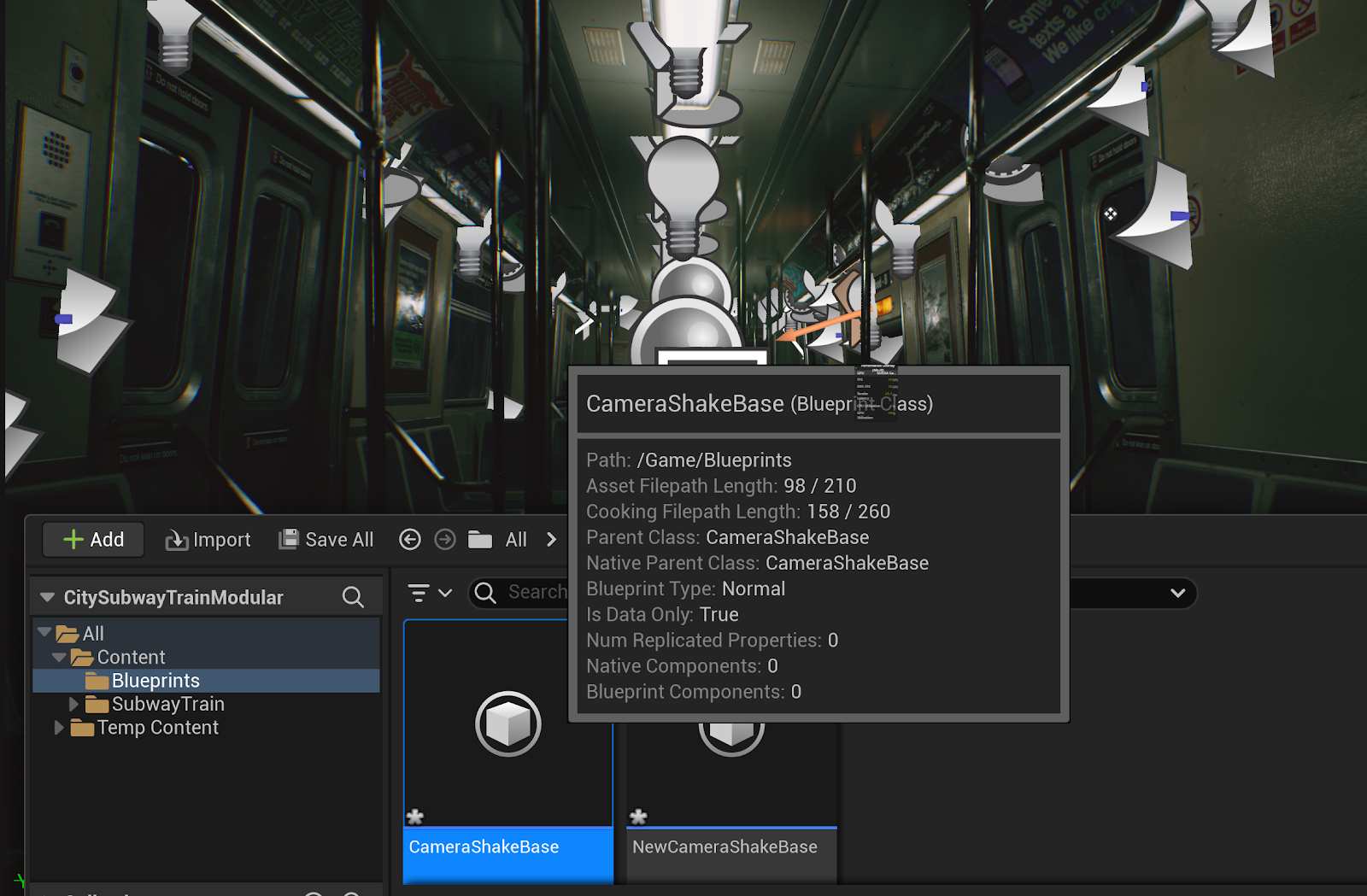
 Today i loaded up the train scene i selected for the animation and figured out how to add a camera into the scene and add camera shake to said camera. I did this by using UE5's Blueprint system and its built in camera shake system I also figured out how to enable raytracing (Lumen) in the scene for more realistic lighting.  Then i opened up blender to create a simple sphere for future use in the scene

Some assets ive collected today

Image
 Heres some assets ive collected for my project https://www.unrealengine.com/marketplace/en-US/product/city-subway-train-modular https://www.unrealengine.com/marketplace/en-US/product/soul-city

Assets

 Yeaaa ill come to you on this one next week I'll list the websites i'll most likely get the assets from Unreal engine marketplace Unity asset store Sketchfab CGtrader

My own project (Finally) and how i'm going to do it

Image
  This is what i'm going to be basing it of, this challenge/community event happened a while ago with nearly 3,000 artists taking part in it. But I want to attempt to make my own entry (Even though this challenge happened a while ago but that's besides the point) So how am i going to do it? Well...im not 100% sure how, but I somewhat know what im going to need to do it. Unreal Engine 5.0 (or above) Unreal Engine 5 would be where the animation is actually rendered and made. The engine provides many advantages such as MetaHuman character creator and a very powerful lighting engine which is capable of calculating shadow maps, Raytracing, Realtime reflections and SSR all in realtime which would save alot of time when rendering the final clip. However this would be a much bigger learning curve compared to using Blender since i have alot less experience with Unreal Engine compared to blender. Substance Painter Substance Painter is a 3D texturing software which i have great knowledge ...